
Create an online survey – free and easy
Create and run a professional online survey in just a few minutes
Would you like to create an online survey? With easyfeedback, you can create surveys for free, invite participants via a link and analyse the results automatically.
Whether it’s an employee survey, a customer survey, a feedback form or an online questionnaire – you can create and launch a survey in just a few steps.
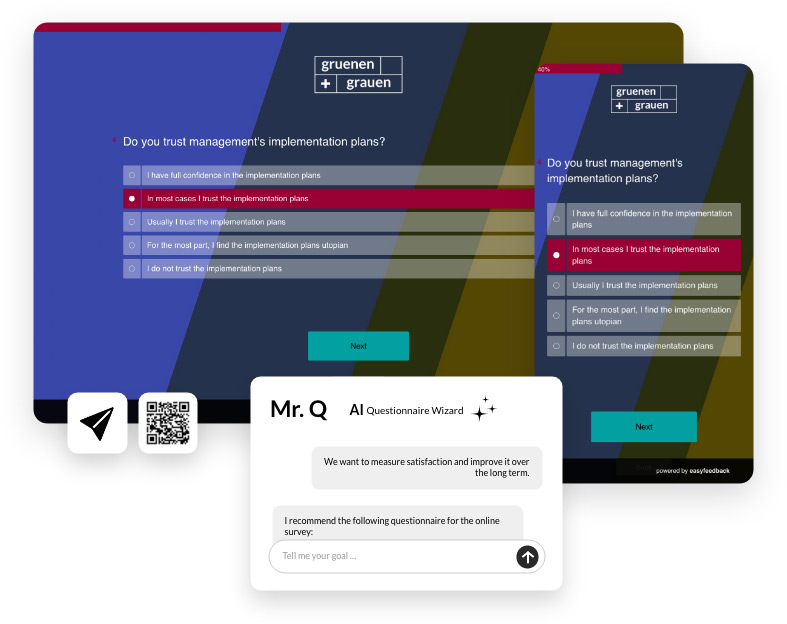
Create an online survey in 5 steps
- Please select English as the audio language
Step 1: Create a survey or questionnaire
Once you have created an account, you can get started straight away. First, create a new survey. You have the following options:
- create an empty survey
- use a free template from easyfeedback
- or copy an existing questionnaire
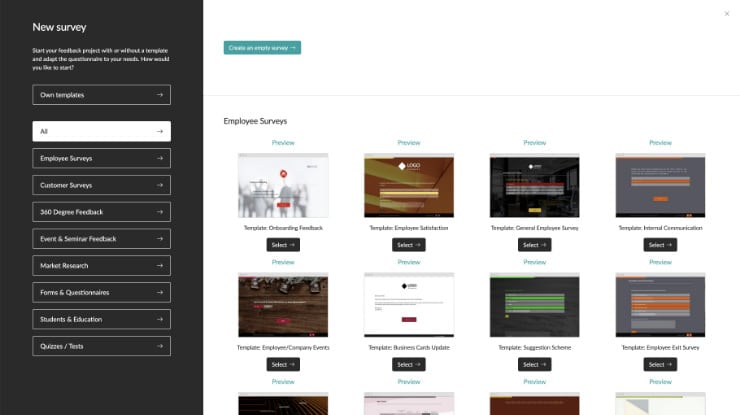
Typical areas of application include:
staff surveys, customer surveys, seminar feedback, event feedback, market research, 360-degree feedback
Step 2: Add questions or create them using AI
Add the questions you want manually or let our AI help you. With the questionnaire wizard Mr. Q, you can simply describe what you want to achieve with your survey.
Examples:
- I would like to measure my staff’s satisfaction.
- I would like to gather customer feedback on our service.
- I would like to evaluate a seminar.
- I would like to carry out a 360-degree feedback exercise.
Based on your description, Mr. Q automatically generates suitable questions, topic blocks and possible answers. This saves you time when creating the questionnaire and provides you with a professional questionnaire as a starting point for your survey.
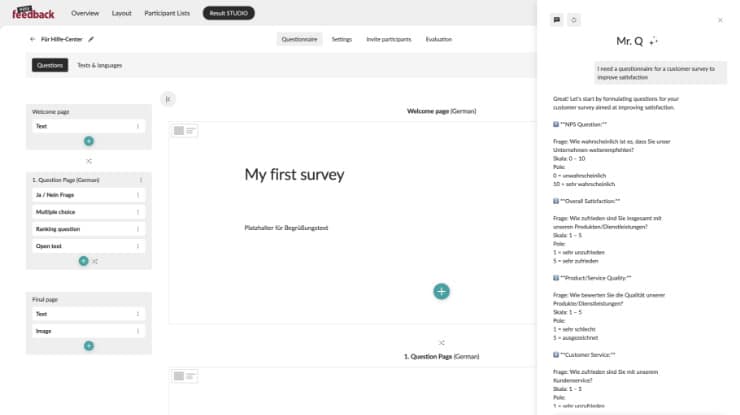
Stuck for ideas on what questions to ask? Use our AI assistant.
The biggest challenge when creating a survey is often not the technology, but coming up with the right questions. Our AI assistant, Mr. Q, helps you create questions tailored to your objectives in a matter of seconds.
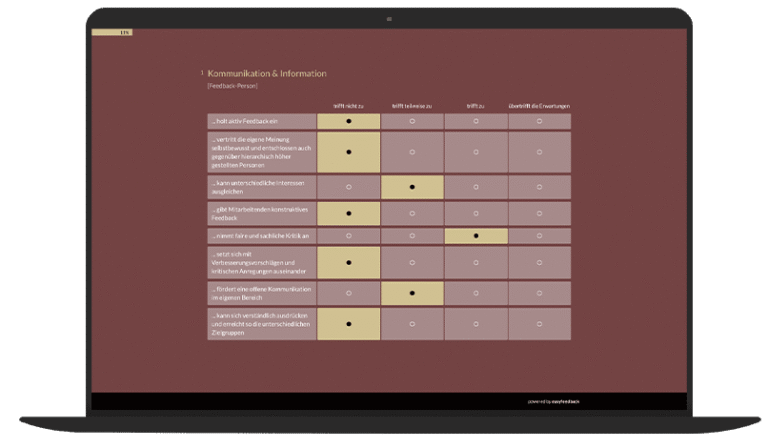
Over 90+ free survey templates
Use a free template for your online survey. There are different templates available for every topic.
Step 3: Design the questionnaire
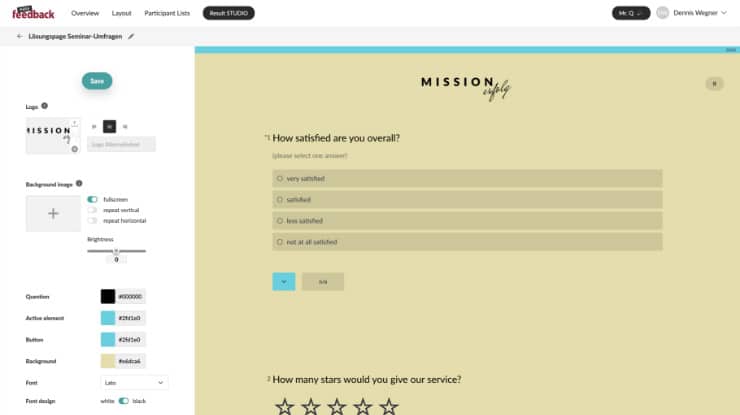
Next, apply your corporate design to the questionnaire. To do this, open the layout configurator. Here, you can upload a logo, set the colours and select fonts.
And for more specific customisations, we also offer a CSS editor, which allows you to further customise individual elements of the survey using code.
Step 4: Invite participants
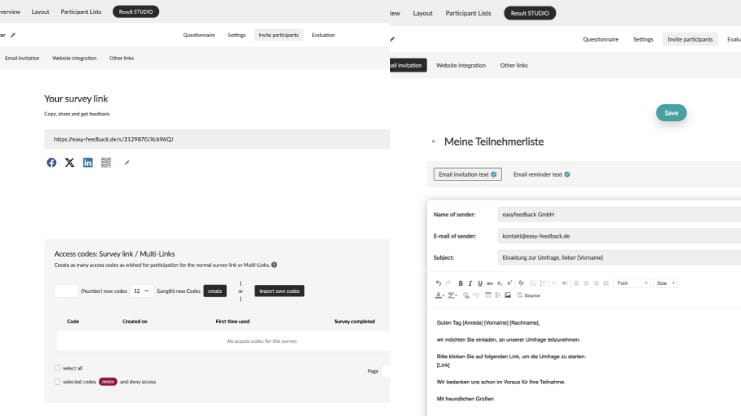
Once the survey is ready, you can launch it. There are various ways to invite participants:
- Survey link
- Email invitation tool
- QR-Code
- Integration on your own website
This enables you to distribute and carry out the online survey quickly.
Step 5: Conduct the survey & collect the results
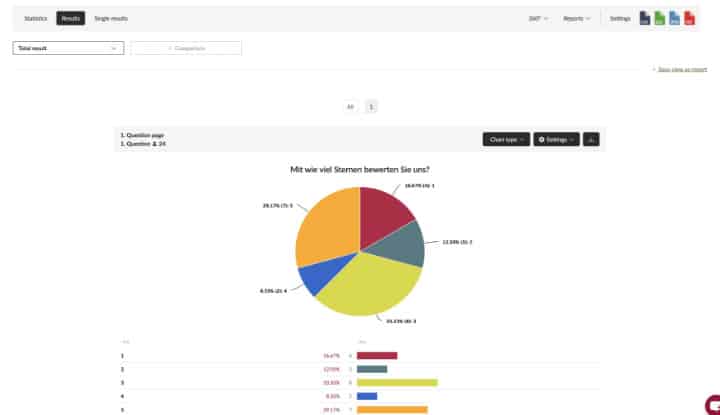
Once the survey has started, participants can complete the questionnaire online, provided you have sent them the link. All responses are automatically saved and are available for later analysis.
Initial results and key figures are available in real time whilst the survey is still underway. You can begin analysing the results once the survey has ended.
Useful tips for online surveys
Create an online survey for free
Many individuals and businesses are looking for ways to create an online survey for free.
With easyfeedback, you can also create surveys for free and use the key features. These include, amongst others:
- Create a questionnaire
- Launch an online survey
- Invite participants
- Record results
This allows you to try out easyfeedback with no obligation, or even to use it on a limited basis completely free of charge.
Create an online survey without registering
We would not recommend creating a survey without registering. This is because the survey collects important data that serves as the basis for improvements. If you use a tool without registering, your data is unprotected and may be lost. We therefore strongly recommend creating an account to protect your data.
For professional surveys, such as those conducted with easyfeedback, it is generally advisable to have a user account, as this allows results to be saved, analysed and reused at a later date.
Creating a questionnaire – tips for better surveys
A well-designed questionnaire determines the quality of the results. When creating an online questionnaire, bear the following points in mind:
Use clear questions
Avoid complicated phrasing and technical terms, and phrase the questions in the everyday language your respondents use.
Don’t ask too many questions
Short questionnaires usually achieve higher completion rates. If you ask too much of your respondents, the drop-out rate will rise. We therefore recommend a maximum of 10 minutes for customer surveys and around 20–30 minutes for staff surveys.
Use appropriate question types
Don’t always use the same question type – combine different question types to keep participants’ attention.
Test before you start
Show the questionnaire to someone else before you start and ask them to check that it is easy to understand.
Advantages of an online survey
Online surveys are now among the most popular methods of data collection. The key benefits include:
- swift implementation
- low costs
- long range
- Easy sharing via a link
- automatic data collection
- immediate results
As a result, online surveys are ideal for both small and large target groups and are very popular with businesses.
Analyse results automatically
Creating a survey is just the first step. The real value comes from analysing the responses. easyfeedback supports you in this with automated evaluations, dashboards and AI-powered analyses. This enables you to identify the following more quickly:
- key trends
- notable developments
- Areas for improvement
- relevant recommendations for action
This is how responses are turned into concrete insights. Here’s how to analyse the results of a survey
Create an online survey now
Create your first online survey for free and invite participants via a link, email or QR code.
Use templates or let our AI assistant, Mr. Q, help you create your questionnaire.
Frequently asked questions about creating an online survey
When you create a survey using easyfeedback, you’ll have access to the survey tool and all the survey templates it contains.
When you signed up, we set up a demo survey in your account. This already includes a ready-made questionnaire and results.
This allows you to see straight away how the survey tool works and what it has to offer.
If you have any questions, just take a look at our Help Centre.
How can I create a survey for free?
With easyfeedback, you can create your first online surveys, invite participants and collect responses – all free of charge. This allows you to try out the tool with no obligation and gain some initial experience.
How do I create a questionnaire online?
First, create a new survey, add the questions you want, and then design your questionnaire. Alternatively, you can use templates or the AI assistant, Mr Q.
Can I share an online survey via a link?
Yes. Once you have created the survey, you will receive a personalised survey link that you can share via email, messaging apps, a QR code or on your website.
How many questions should a survey contain?
The ideal length depends on the aim of the survey. In practice, short surveys comprising 5 to 15 questions have proved effective, as they usually achieve higher response rates.
What questionnaire templates are available?
Ready-made templates are available for many different purposes, such as staff surveys, customer surveys, seminar feedback, event surveys or 360-degree feedback.