
Microsoft Forms alternative: More than just creating surveys
Microsoft Forms collects responses. easyfeedback turns them into insights.
Microsoft Forms is a handy solution if you want to create forms or simple surveys. However, when feedback is to form the basis for decisions, simply collecting responses is often not enough.
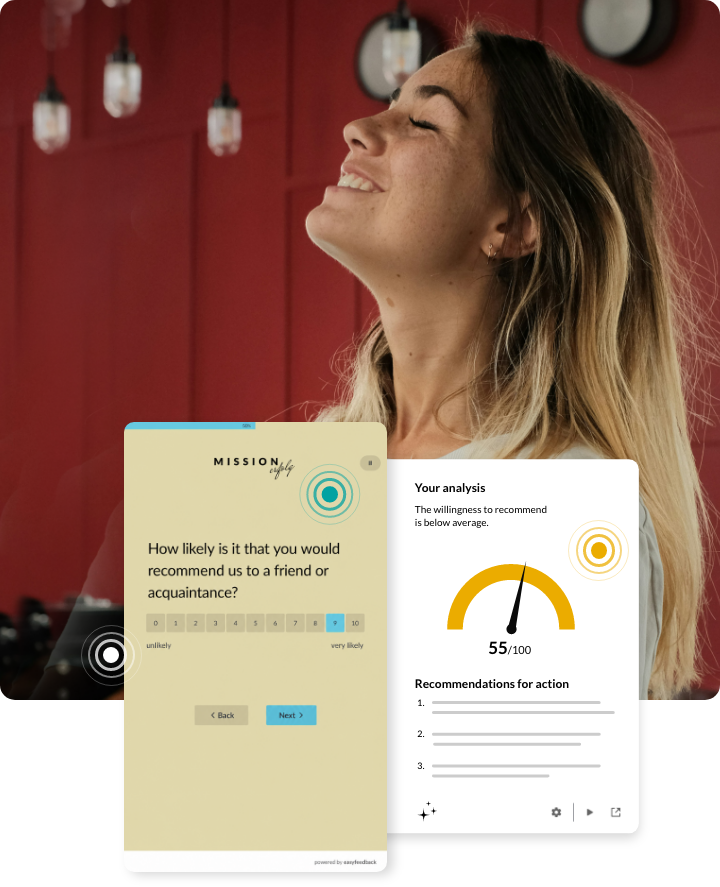
easyfeedback helps you to automatically analyse feedback, identify patterns and highlight relevant signals – so that data can be turned into concrete actions.
Microsoft Forms or easyfeedback – what’s the difference?
Both solutions help to collect feedback. The key difference lies in what happens next.
Microsoft Forms focuses on creating forms and collecting responses. The data is analysed using simple charts or by exporting it, for example to Excel.
easyfeedback goes one step further. Our platform automatically analyses incoming feedback, summarises insights and helps you identify relevant trends at an early stage. This turns responses into actionable insights for better decision-making.
When Microsoft Forms is a good choice
Microsoft Forms is particularly suitable if you:
- want to create a form or survey quickly
- work within Microsoft 365
- want to carry out simple internal polls
- want to create quizzes or short feedback surveys
For these use cases, Microsoft Forms is a straightforward and easily accessible solution.
When businesses need more than just a survey tool
As the number of surveys increases, so do the demands. Rather than simply analysing individual results, the aim is to identify trends, interpret feedback correctly and derive appropriate actions from it. This is exactly where easyfeedback comes in. Our platform helps companies to:
- automatically analyse feedback,
- summarise open-ended responses using AI,
- identify recurring themes and patterns,
- highlight areas for action, and
make decisions based on sound data.
After all, problems rarely arise out of the blue. They are often foreshadowed by subtle signals in the feedback.
Microsoft Forms vs. easyfeedback
Microsoft Forms
easyfeedback
Create forms and surveys
Providing professional support for feedback processes
Collect responses
Gain insights
Charts and raw data
AI-powered analysis and summaries
Manual interpretation
Automatic recognition of patterns and themes
General form tool
Designed specifically for feedback and survey processes
Data protection depending on the Microsoft 365 environment
German provider offering hosting in Germany
Basic survey functions
Anonymous surveys for honest feedback
For simple forms
For employee, customer, seminar and 360° feedback
Detect what matters before it escalates.
Feedback becomes signals
Feedback rarely provides just a few isolated answers. It reveals sentiments, trends and changes – often long before they turn into real problems. easyfeedback helps you to highlight these signals.

Workforce Signals
Staff send signals
Gain an early understanding of how staff perceive leadership, collaboration and culture.

Customer Signals
Customers send signals
Identify what makes customers happy and what risks there are of customer churn.

Leadership Perspectives
Managers send signals
Highlight the gap between how people see themselves and how others see them, and provide targeted development for managers.

Learning Signals
Participants send signals
Find out whether your measures are achieving their objectives and which factors influence their success.
AI supports the analysis
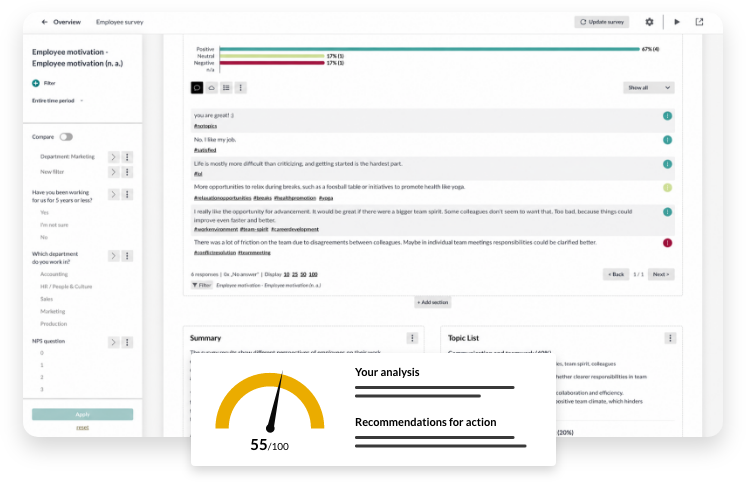
Open-ended responses often contain the most valuable insights – yet they are the most time-consuming to analyse.
easyfeedback’s AI-powered analysis helps you summarise extensive free-text responses, automatically group recurring themes, identify sentiments, highlight key insights and derive recommendations for action.
This saves you time and gives you a quicker overview of what really matters.
Designed for professional feedback processes
easyfeedback supports companies with a wide variety of feedback processes:
- Employee surveys
- Customer surveys
- Feedback on seminars and events
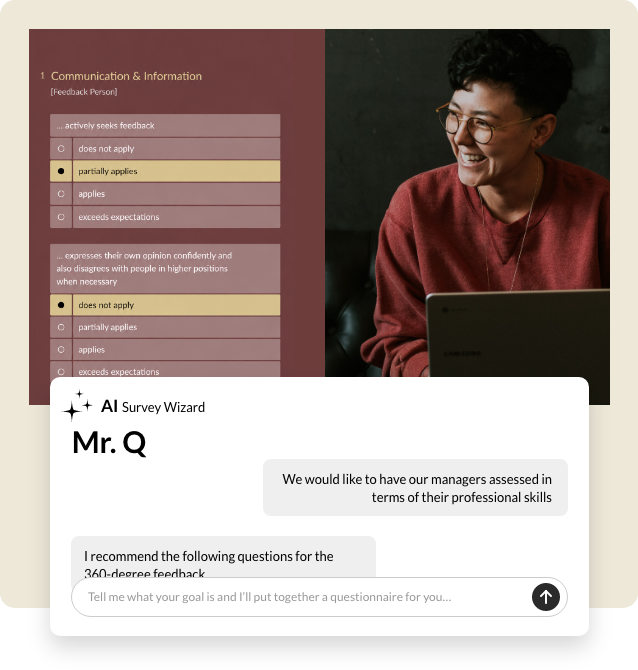
- 360° feedback
- Pulse surveys
- NPS surveys
All these use cases are based on the same platform and can be managed and analysed centrally.
since
2010
on the market
over
2 Mio.
surveys
over
340 Mio.
participants
over
20.000
customers
GDPR
100%
compliant
Understand what lies behind your feedback
Don’t just collect answers – gain insights that will really help your organisation move forward.
Frequently asked questions about comparing with Microsoft Forms
Would you like to know whether easyfeedback could be a viable option for you? We’d be happy to offer you a live demo or answer any questions you may have.
Have a look at the help center, book an appointment or send us an email – we’re here to help you personally.
If you have any questions, just take a look at our help center
Is easyfeedback a replacement for Microsoft Forms?
If you mainly want to create forms or short surveys, Microsoft Forms is a suitable solution. However, if feedback is to be analysed regularly and used as a basis for decision-making, easyfeedback offers significantly more comprehensive analysis and evaluation options.
Can I also create simple surveys using easyfeedback?
Yes. As well as complex feedback processes, you can, of course, also create and publish traditional online surveys.
Is easyfeedback GDPR-compliant?
Yes. easyfeedback was developed for professional use and helps organisations conduct surveys in compliance with data protection regulations, in accordance with the requirements of the GDPR.
Which businesses is easyfeedback suitable for?
easyfeedback is suitable for businesses of all sizes that wish to systematically collect and analyse feedback and use it to identify specific actions.