

“Identifying user needs is at the heart of our business. easyfeedback has been helping us with this task for several years now. We particularly appreciate its intuitive usability and professional support.”

“We use easyfeedback for internal and external surveys—it’s fast, convenient, and easy! The uncomplicated and friendly support puts a smile on our faces, and we are delighted with the continuous development of the platform.”
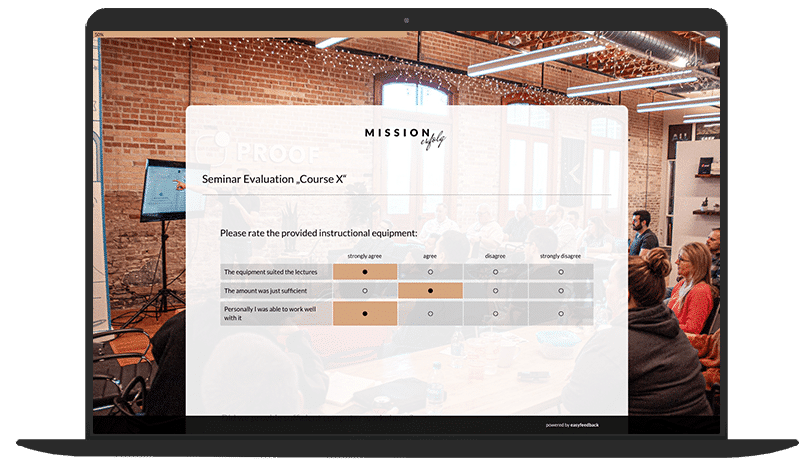
Effective seminars and training sessions are distinguished not only by their content but also by the small details, such as a warm welcome or technical equipment that works flawlessly.
These small details play a crucial role in the event’s success and are often recommended by participants.
To ensure your seminar runs smoothly, it’s helpful to gather feedback on various aspects.
For example, ask participants about the quality of the facilities — such as refreshments, the rooms, and the location — as well as the schedule, the trainers, and the training materials.
There is always room for improvement, and often it is the little things that make the biggest difference.
With a customized seminar survey from easyfeedback, you can collect targeted, valuable feedback and identify areas where there is still room for improvement.
This allows you to design your future seminars even better and increase their success.
Contents of the template:
Objectives of the survey:
Helpful features for the survey:

Data protection „made in Germany“ (GDPR)

Anonymity function for honest feedback
A seminar is an educational event that often takes place at universities, schools, in continuing education, or in a professional setting.
It is designed to explore and discuss specific topics in depth within a smaller group.
Here are the main characteristics of a seminar:
Characteristic 1: Interactive Learning Environment
Unlike lectures, where the instructor primarily presents information, seminars encourage active participant involvement through discussions, presentations, and group work.
Characteristic 2: Thematic Focus
Seminars focus on a specific topic or specialized subject area that is covered in detail.
Characteristic 3: Smaller Group Size
Seminars are usually held in smaller groups to enable intensive and individual support.
Characteristic 4: Presentations and Reports
Participants often give presentations or reports on specific aspects of the seminar topic to deepen their knowledge and encourage exchange.A seminar is an educational event that often takes place at universities, schools, in continuing education, or in a professional setting.
Characteristic 5: Discussion and Feedback
A key component of a seminar is discussion. Participants and instructors discuss the presented content, exchange opinions, and provide feedback.
Characteristic 6: Goal-Oriented
Seminars often aim to develop specific competencies, discuss research findings, or improve practical skills.
Seminars and workshops are both forms of educational and training events, but they differ in structure, purpose, and level of interactivity.
Here are the key differences:
Workshop
Seminar
Seminars are ideal when the focus is on conveying knowledge and information. They are often more formal and less interactive.
Workshops, on the other hand, are better suited when the aim is to develop practical skills, solve problems, or find creative solutions. They encourage active learning and a high level of interactivity.
Seminars and professional development courses are both forms of professional and academic continuing education, but they have different objectives, structures, and target groups.
Here are the key differences:
Professional Development Course
Seminar
Seminars provide structured, often topic-specific knowledge transfer and are well suited to deepening knowledge in a particular field.
Professional development courses, on the other hand, aim to expand job-related skills or acquire new qualifications and are geared toward the practical requirements of working life.
An online seminar, often referred to as a webinar, is an internet-based educational event delivered through digital platforms.
Here are the main characteristics and benefits of an online seminar:
Characteristic 1: Virtual Participation
Participants and instructors are not physically present; instead, they meet in a virtual space accessible via the internet.
Characteristic 2: Live Streaming and Interaction
Webinars are often delivered live, allowing participants to ask questions in real time, take part in discussions, and provide feedback.
Characteristic 3: Flexibility and Accessibility
Participants can join from any location, eliminating geographical barriers. This increases flexibility and enables a broader reach.
Characteristic 4: Multimedia Content
Instructors can use a variety of media, including presentations, videos, audio, and interactive elements such as surveys and quizzes.
Characteristic 5: Recording and Replay
Many webinars are recorded, allowing participants to watch them again later. This is particularly useful for those who cannot attend the live session.
Characteristic 6: Technical Requirements
Participants only need an internet-enabled device (computer, tablet, or smartphone) and a stable internet connection. Headphones and a microphone are also often needed for interaction.
Characteristic 7: Time and Cost Savings
Online seminars save travel time and costs for both participants and instructors.
Characteristic 8: Platforms and Tools
Various webinar platforms and software solutions are available, such as Zoom, Microsoft Teams, GoToWebinar, and Google Meet, which offer different features and tools.
Benefits of an Online Seminar
Online seminars offer an effective and efficient way to learn and share knowledge, which is becoming increasingly popular as digitalization continues to advance.
The terms “webinar” and “online seminar” are often used interchangeably, but there are subtle differences in how they are used and understood.
Here is an overview of the differences:
Webinar
Online Seminar
A hybrid seminar combines elements of traditional in-person seminars and online seminars.
This allows participants to attend either physically on site or virtually via the internet.
Here are the main characteristics and benefits of a hybrid seminar:
Characteristic 1: Combined Participation
Participants can choose whether to attend in person in the seminar room or join online.
Characteristic 2: Simultaneous Delivery
The seminar is delivered simultaneously for both groups: those attending on site and those participating online.
Characteristic 3: Technical Setup
The seminar room is equipped with the necessary technology, such as cameras, microphones, and screens, to stream the event live and enable interactive participation.
Characteristic 4: Interactive Tools
Online tools are used for polls, chats, and questions to encourage interaction between participants attending in person and those joining online.
Characteristic 5: Recordings
The seminar is often recorded so that all participants can access it later.
Benefits of a Hybrid Seminar
Benefit 1: Flexibility
Participants have the freedom to choose whether they want to attend in person or online, which is especially practical for people with different locations or time commitments.
Benefit 2: Greater Reach
Events can reach a broader audience, as participation is not limited to local attendees.
Benefit 3: Cost Efficiency
Reduced travel and accommodation costs for participants who choose to attend online.
Benefit 4: Interactive Learning Experience
The use of interactive tools and technologies encourages active participation and engagement.
Benefit 5: Adaptability
Organizers can respond flexibly to unforeseen circumstances, such as travel restrictions or personal scheduling conflicts.
Technical Requirements
For the Seminar Room:
For Online Participants:
A hybrid seminar offers the best of both worlds by combining the traditional learning experience with the benefits of digital participation.
This creates a flexible, accessible, and interactive learning environment that adapts to participants’ needs.
The structure of a seminar can vary depending on its type, objective, and context.
Here is a general outline of how a typical seminar is conducted:
Step 1: Preparation
Step 2: Introduction
Step 3: Main Session
Step 4: Breaks
Step 5: Summary
Step 6: Closing
Step 7: Follow-Up
Typical Phases of a Seminar
1. Planning phase: Define objectives, select speakers, and organize the seminar.
2. Implementation phase: Deliver the planned content and conduct the seminar.
3. Evaluation phase: Assess the event through feedback and analysis.
Designing an online seminar requires careful planning and consideration of various aspects to ensure an effective and engaging virtual learning experience.
Here is a step-by-step guide to designing a successful online seminar:
Step 1: Define Objectives and Plan
1.1. Define Objectives
1.2. Participants
1.3. Format and Content
Step 2: Select the Technology
2.1. Choose a Platform
2.2. Equipment
Step 3: Design the Seminar
3.1. Structure and Agenda
3.2. Content and Materials
3.3. Interactive Elements
Step 4: Deliver the Seminar
4.1. Technical Check
4.2. Facilitation
4.3. Time Management
Step 5: Follow-Up
5.1. Feedback
5.2. Materials
5.3. Follow-Up
Example Structure of an Online Seminar
09:00–09:15: Welcome and introduction
09:15–10:30: Presentation 1
10:30–10:45: Coffee break
10:45–12:00: Presentation 2 and discussion
12:00–13:00: Lunch break
13:00–14:30: Group work or workshop
14:30–14:45: Coffee break
14:45–16:00: Group presentation session
16:00–16:30: Summary and Q&A
16:30–17:00: Feedback round and farewell
By carefully planning and implementing these steps, you can ensure that your online seminar is effective, informative, and engaging for participants.
Tip 1: Interactivity
Encourage interaction through regular questions, polls, and discussions.
Tip 2: Visual Design
Use engaging, well-designed presentation slides to maintain attention.
Tip 3: Engagement
Use techniques such as breakout rooms for smaller group discussions to enable deeper interaction.
Tip 4: Clarity
Make sure your messages are communicated clearly and are easy to understand.
Tip 5: Flexibility
Be flexible and adapt to participants’ needs and questions.