
Employee survey: Planning, process & implementation
8 steps to honest feedback, clear insights and concrete actions.
- Step 1: Define objectives and target groups
- Step 2: Designing the questionnaire
- Step 3: Structuring the questionnaire
- Step 4: Corporate identity: logo, colours and typeface
- Step 5: Invite staff to take part in the survey
- Step 6: Monitor participation
- Step 7: Analyse the results
- Step 8: Derive recommendations for action
Find out, step by step, how to successfully plan and carry out a professional employee survey and identify relevant developments within your organisation at an early stage.
Step 1: Define the objectives and the target group
The first step in any employee survey is to set the objectives – even before you formulate questions or design a questionnaire.
Start by defining:
- Why do you want to carry out the employee survey?
- What trends do you want to highlight?
- What problems, risks or opportunities do you want to identify?
- What decisions do you want to make later on based on the results?
Good employee surveys do more than just gather feedback — they highlight organisational trends.
Typical objectives of an employee survey include, for example:
- Measuring employee satisfaction
- Assessing leadership quality
- Identifying stress and conflicts
- Improving collaboration
- Supporting change processes
- Identifying staff turnover risks at an early stage
- Strengthening employee retention
Once the objectives have been defined, the survey group becomes clear.
This raises the question:
Should the entire workforce be surveyed, or just specific teams, departments or sites?
Why is this important?
The selection of the survey group influences:
- the subsequent invitation to the employee survey
- the analysis of the results
- the significance of the organisational signals
Step 2: Designing the questionnaire
Once the objectives have been set, start designing the questionnaire.
This is not simply a matter of selecting questions.
The key question is:
What trends do you want to highlight?
If, for example, the aim of your staff survey is to improve the working atmosphere, you should ask questions on the following topics:
- overall satisfaction
- teamwork
- communication with colleagues and managers
- workload
- motivation and sense of belonging
If you want to improve internal processes, you should ask specific questions about:
- workflows
- responsibilities
- information flow
- suggestions for improvement
Tip
When formulating questions, don’t start with the question itself — start with the insight you wish to gain.
First, consider:
What conclusion do you want to draw later on the basis of the results?
This then determines:
- how the question is phrased
- the appropriate question type
- the subsequent analysis
Example
You have the feeling that communication within certain teams is not working optimally, resulting in information being lost or additional work being created.
At the end of the staff survey, you therefore want to identify:
“In which department or team are there communication problems?”
Your subsequent statement could, for example, be:
“58% of staff in Team XY are dissatisfied with internal communication.”
This leads to the following question:
“How satisfied are you with communication within your team?”
To obtain reliable results, the following are suitable, for example:
- Matrix questions
- Rating scale questions
- Closed-ended questions with rating options
- Sliders
Well-formulated questions not only provide answers — they highlight trends, risks and potential within the organisation.
Examples, questions and templates for staff surveys
Discover tried-and-tested questions, templates and examples for employee surveys — covering everything from employee satisfaction and leadership to change processes.
Mr Q – easyfeedback’s questionnaire assistant – will also help you design your questionnaire.
Once you’ve created an account, you’ll have free access to Mr Q and can receive automatic suggestions for suitable questions, wording and templates.
Step 3: Structuring the questionnaire
Once you have finalised the concept, you can create the actual staff survey.
To do this, log in to easyfeedback or create a free account.
You can start with a blank survey or use tried-and-tested templates for employee surveys.
If you work with a template, you’ll also get tried-and-tested questions, proven structures and inspiration for different use cases.
The technical creation of the employee survey should be straightforward — the real added value comes later, during the analysis and interpretation of the results.
Step 4: Corporate identity: logo, colours & typeface
As well as the content, the appearance of the employee survey also plays an important role.
Employees are more open and honest when taking part in surveys if the survey is perceived as a trustworthy part of their own organisation.
The employee survey should therefore be visually recognisable as an internal survey conducted by your company.
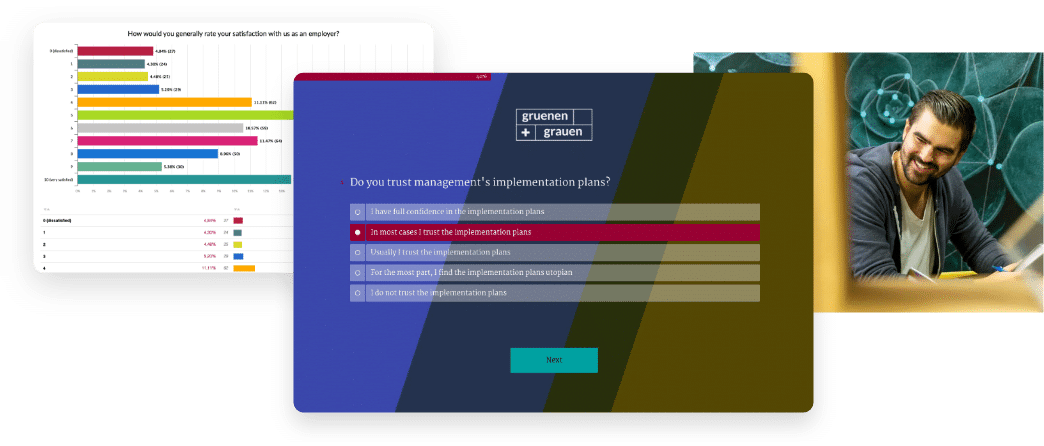
With easyfeedback’s layout configurator, you can integrate your logo, customise colours and fonts, and add a background image to showcase your company’s corporate identity.
This helps to strengthen:
- Trust
- Brand recognition
- Willingness to participate and
- the quality of the responses
Step 5: Invite staff to take part in the survey
Once the questionnaire and design have been finalised, employees will be invited to take part.
The method of invitation depends on the survey group defined previously.
Options for sending invitations include email invitations, individual survey links or QR codes for each department or site, posting the link on the intranet, or via shared devices or terminals.
If all employees have a company email address, we recommend sending the invitation directly via the easyfeedback email tool.
For production or field staff, you can alternatively use:
- QR codes
- tablets
- public terminals
- intranet links
And to completely prevent multiple responses, you can also use one-off access codes.
Step 6: Monitor participation
Once the invitations have been sent out, the first responses are usually received on the same day or the following day.
The highest response rate is usually achieved within the first two days. After that, participation often declines, as the majority of staff will already have taken part.
Initial trends and patterns become apparent even whilst the staff survey is still ongoing.
After around 7 days, it is advisable to send a reminder to employees who have not yet taken part.
This allows you to further increase the response rate and improve the validity of the results.
Step 7: Analyse the results and identify organisational signals
Once the employee survey is complete, the most important part begins: interpreting the results.
The real value of an employee survey lies not in collecting feedback — but in understanding the underlying trends.
To begin with, analyse:
- the overall results
- then individual questions
- possible trends
- and open-ended responses
You then segment the results using filters, for example by:
- teams
- departments
- locations
- projects or
- employee groups
It is only by segmenting the results that hidden differences, risks and critical developments within individual teams or locations become apparent.
Typical questions to ask during the analysis:
- Where is motivation declining?
- Which teams are showing signs of stress?
- Where are there communication problems?
- Which areas require attention?
- Where are there risks of staff turnover?
Important: The desired filter criteria must either have been included as a question in the survey beforehand, stored for each employee via the participant list, or be identifiable via individual links (additional links per participant group). The easyfeedback support team will be happy to assist you with this.
Step 8: Derive specific actions from signals
An employee survey only creates real added value if the results lead to concrete improvements.
With easyfeedback, the insights from employee feedback are automatically analysed and translated into:
- clear insights
- strengths and weaknesses
- risks
- trends and
- specific recommendations for action
The analyses take place in Result STUDIO. There, you can also segment the data by individual participant groups and view the analysis for each group.
In addition, you can:
- Compare teams
- Analyse locations
- Highlight trends from previous surveys
Using the analyses in Result STUDIO, your results are analysed from any perspective within seconds, providing you with concrete assessments and recommendations.
The following applies:
- Overall results provide organisation-wide insights
- Segmentations reveal specific signals from individual teams or sites
easyfeedback helps companies derive concrete guidance and clear recommendations for action from employee feedback before problems escalate or have a negative impact on motivation, collaboration and staff retention.
Finally, reports and results can be forwarded directly to the relevant individuals so that measures can be implemented quickly.
Everything you need to know about an employee survey
1. Planning, organisation & implementation
Gain an early understanding of what is really going on in your business
Create staff surveys, automatically identify critical trends and take action before problems escalate.
Thousands of companies already have a better understanding of what really drives their organisation
Better decisions | Problems identified earlier | Improved teams | Reduced staff turnover





4,8


