

“Identifying user needs is at the heart of our business. easyfeedback has been helping us with this task for several years now. We particularly appreciate its intuitive usability and professional support.”

“We use easyfeedback for internal and external surveys—it’s fast, convenient, and easy! The uncomplicated and friendly support puts a smile on our faces, and we are delighted with the continuous development of the platform.”
The application process is part of every company’s daily routine.
In particular, the process of selecting suitable candidates is often time-consuming and highly complex.
Incomplete application materials, a lack of comparability among individual applications, and the need to analyze skills essential for the position make the work of the HR department more difficult.
By using an online form, you not only save time and money, but you also help structure your application process, making it easier to filter out suitable candidates from the submitted documents.
By specifically asking about the most important qualities for the advertised position, you can filter which applicants make it to the shortlist.
In addition, requiring certain fields to be filled out minimizes the submission of incomplete application documents.
In this way, you help improve your application process and save not only costs but also valuable resources.
Contents of the template:
Objectives of the survey:
Helpful features for the survey:

Data protection „made in Germany“ (GDPR)

Anonymity function for honest feedback
An application form is a structured—usually digital—document used to systematically and completely collect applications for an advertised position.
Especially in the form of an online application form, it is now used by many companies to make the application process more efficient for both applicants and HR professionals.
It is a company-specific digital form that makes the entire application process more structured and user-friendly—for both the company and applicants.
Instead of submitting application documents by email or post, applicants complete a web-based form directly on the company’s careers page.
This form requests all relevant information required to assess the application.
This includes personal information—such as name, address, and contact details—education and professional experience, skills and qualifications, as well as optional information about motivation or availability.
A key element of the form is the option to upload documents such as a CV, cover letter, references, or certificates directly as files, for example in PDF format.
This ensures that all important documents are submitted in full—a frequent weakness of unstructured applications.
An online application form is a modern solution for submitting job applications, offering numerous benefits for both applicants and companies.
It replaces traditional, mostly paper-based application processes with a digital and standardized workflow.
Benefits for applicants
For applicants, an online application form primarily makes the application process considerably simpler and faster:
Benefits for companies
Online application forms also offer companies numerous advantages that optimize the entire recruitment process:
In just a few steps, you can create your own application form with easyfeedback.
To do this, register for free with our easyfeedback survey tool.
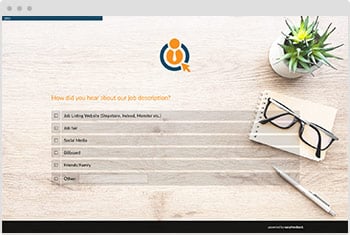
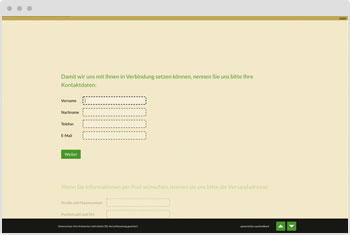
Start with our template or create your own application form using our questionnaire editor.
Select the appropriate questions and question types, and include an actively selectable consent option for storing applicant data.
In the next step, give the application form a customized design. Once published, embed it wherever you need it—via iframe, link, or our website integration.
Online questionnaires have the advantage that, with the right survey tool, they are not only easy and cost-effective to create but can also be designed creatively and individually.
For example, you can easily design your application form using the colors and fonts of your corporate identity.
Furthermore, after applicants complete and submit the online form, you can send them an automatic confirmation email or redirect them to an external page to confirm that their application has been received.
easyfeedback offers another advantage when creating an application form: you can automatically send submitted data to a tool of your choice.
For example, you can use Zapier to transfer the data to your applicant tracking system.
This saves you the time-consuming task of manually entering applicant data. Alternatively, you can simply forward received applicant data automatically by email to the department manager responsible for the position.
As with all digital questionnaires, it is important to ensure correct spelling, as first impressions count.
It also makes sense to keep the form as simple as possible and request only the data that is truly needed.
It can also be helpful to allow open-text responses, as this gives you additional information that may be relevant to the application process.
To receive complete application documents, it is also important to enable the uploading of documents, such as cover letters, CVs, and references.
In addition, every applicant appreciates an automated confirmation of receipt confirming that the application has been received and that your company will get back in touch shortly.
An online application form should include targeted questions that help you understand applicants’ qualifications, experience, and motivation.
Here are some relevant categories and sample questions:
1. Category: Personal information
2. Category: Education and qualifications
3. Category: Professional experience
4. Category: Motivation and goals
5. Category: Professional and personal competencies
6. Category: Availability and salary expectations
7. Category: References and attachments
8. Category: Additional questions (optional)