Software evaluation via survey

Software Evaluation via Survey

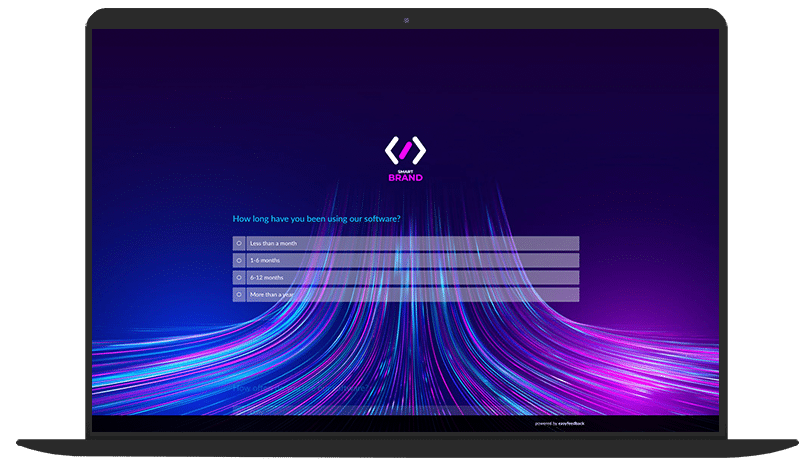
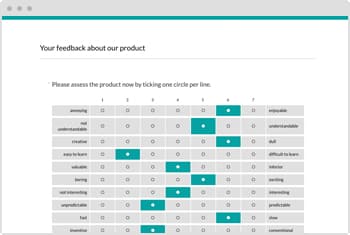
Our survey template is the easiest way to find out what your users really think — which features they love, what improvements they’d like to see, and how you can make your software even more user-friendly.

Immobilienscout 24 ist begeisterter easyfeedback Nutzer

“Identifying user needs is at the heart of our business. easyfeedback has been helping us with this task for several years now. We particularly appreciate its intuitive usability and professional support.”

Franziska Becker
Guild Lead User Experience Research
TUI ist begeisterter easyfeedback Nutzer

“We use easyfeedback for internal and external surveys—it’s fast, convenient, and easy! The uncomplicated and friendly support puts a smile on our faces, and we are delighted with the continuous development of the platform.”

Jennifer Fischer
Guest & Competitor Insights Analyst

How can a software evaluation via survey help?

A software evaluation via questionnaire acts as a mirror for your application: it clearly shows which features users love, which ones confuse them, and where improvements are urgently needed.

Targeted questions provide a direct snapshot of user sentiment that goes beyond mere numbers and delivers genuine insights into the user experience.

Developers can set priorities, refine features, and fix bugs more quickly.

At the same time, users feel taken seriously, which strengthens loyalty and builds trust.

With regular, data-driven user feedback, the software becomes continuously more user-friendly, efficient, and successful — a true win-win situation for users and developers alike.

This way, feedback becomes not just knowledge, but targeted optimization for sustainable success.

Contents of the template:

  • Questions about user behavior
  • Preferences, requirements, and criteria
  • Questions to assess satisfaction
  • Questions about various aspects of the software
  • NPS survey (Net Promoter Score)
  • Suggestions for improvement

Objectives of the survey:

  • Analyze user behavior
  • Identify needs and preferences
  • Measure satisfaction
  • Identify strengths and weaknesses
  • Identify areas for improvement

Helpful features for the survey:

  • Survey options: Anonymous, partially anonymous, personalized
  • Invitation options: Link, email, QR code, and more
  • Segment analysis based on survey groups or response patterns
DSGVO-konforme Online-Umfragen

Data protection „made in Germany“ (GDPR)

Anonyme Teilnahme an Umfragen

Anonymity function for honest feedback

Frequently asked questions about software evaluation

A software evaluation is the systematic assessment of a program or application.

It examines how well the software meets specific requirements—for example, in terms of functionality, usability, performance, security, and cost.

What Does a Software Evaluation Include?

The following criteria are typically considered:

  • Functionality: Can the software do everything you need it to do?
  • Usability: Is it easy to use?
  • Performance: Does it run quickly and reliably?
  • Security: Does it protect data reliably?
  • Compatibility: Does it work with other systems?
  • Value for Money: Is it worth the cost?


Benefits of a Software Evaluation

A software evaluation offers many practical benefits:


Benefit 1: Better Decisions

A software evaluation enables a systematic comparison of different programs.

Features, usability, pricing, and performance can be compared.

This makes the selection process more informed and better aligned with individual requirements and goals.


Benefit 2: Time and Cost Savings

A prior evaluation helps avoid poor purchasing decisions.

Unsuitable software often leads to additional effort and further costs.

A structured analysis reduces this risk and saves both financial resources and time spent on repeated selection processes in the long term.


Benefit 3: Greater Efficiency

Suitable software provides optimal support for work processes.

Processes can be accelerated, partly automated, and sources of error reduced.

An evaluation helps identify programs that increase employee productivity and improve work processes.


Benefit 4: More Security

Software evaluations often also consider security aspects such as data protection, regular updates, and known vulnerabilities.

This enables potential risks to be identified and avoided at an early stage.

This is especially important when dealing with sensitive data.


Benefit 5: Transparency

An evaluation provides clarity about a software solution’s strengths and weaknesses.

This creates a realistic overall picture that enables an informed assessment.

At the same time, it becomes clear whether the software is suitable in the long term.

1. Criterion: Functionality

  • Does the software meet all requirements?
  • Does it include all necessary features?
  • Example: Does a word processor offer spell-checking, formatting, etc.?


2. Criterion: Usability

  • Is it easy and intuitive to use?
  • How quickly can new users find their way around?
  • Does it have a clear interface?


3. Criterion: Performance

  • How quickly does the software run?
  • Are there crashes or delays?
  • How high is its resource consumption (CPU, RAM)?


4. Criterion: Security

  • Is data protected, for example through encryption?
  • Are regular updates provided?
  • How secure is the software against attacks?


5. Criterion: Compatibility

  • Does the software run on different devices and operating systems?
  • Does it work with other software?


6. Criterion: Cost

  • How expensive is the software?
  • Are there any hidden costs, such as for updates or licenses?
  • Is it free or paid?


7. Criterion: Maintainability & Support

  • Are updates and bug fixes available?
  • Is support offered, such as help resources or a hotline?
  • Is the software future-proof?


8. Criterion: Scalability

  • Can the software keep up with growing requirements?
  • Is it suitable for larger projects or companies?


9. Criterion: Documentation

  • Are clear guides or tutorials available?
  • Are help pages provided?

The methods of software evaluation describe how software is examined and assessed.

There are different approaches—depending on whether the focus is on technical testing, user feedback, or systematic comparison.

1. Method: User-Based Evaluation (User Testing)

  • Real users test the software.
  • Observation: How well do they manage to use it?
  • Often combined with questionnaires or interviews.
  • Advantage: A realistic assessment of usability.


2. Method: Expert Evaluation

  • Specialists, such as developers or IT experts, analyze the software.
  • Evaluation based on predefined criteria, such as checklists.
  • Advantage: Highly informed and professional assessment.


3. Method: Checklist

  • A list of criteria, such as functionality and security.
  • Each criterion is evaluated systematically, for example by assigning scores.
  • Advantage: Simple, clear, and easy to compare.


4. Method: Weighted Scoring Analysis

  • Criteria are weighted, for example, security may be more important than design.
  • Each software solution receives points, resulting in an overall score.
  • Advantage: An objective comparison of several software solutions.


5. Method: Benchmarking (Performance Testing)

  • Measures performance, such as speed and loading times.
  • Compares the software with other programs.
  • Advantage: Measurable, objective results.


6. Method: Heuristic Evaluation

  • Experts assess the software using usability principles (e.g., “Is the interface easy to understand?”).
  • Advantage: Fast analysis without requiring many users.


7. Method: Online Reviews & Ratings

  • Analysis of user reviews online.
  • Experiences shared by other users.
  • Advantage: Many practical opinions and perspectives.

Step 1: Review the Criteria

  • Have all important aspects been evaluated? For example, functionality, usability, security, and cost.
  • Are the criteria clearly defined and measurable?


Step 2: Check the Evaluation Method

  • Was a structured method used? (Checklist, weighted scoring analysis, benchmarking)
  • Are the criteria weightings transparent and understandable?


Step 3: Verify Sources & Data

  • Were real tests conducted, or were only opinions collected through surveys?
  • Is the data current and reliable?


Step 4: Analyze the Results

  • Are the assessments consistent and easy to understand?
  • Do any scores or results contradict each other?


Step 5: Compare with Alternatives

  • Was the software objectively compared with other programs?
  • Does the evaluation produce a realistic ranking?


Step 6: Identify Opportunities for Improvement

  • Can the evaluation be made clearer, more objective, or more comprehensive?
  • Should criteria be added or adjusted?

You are in professional company

Immoscout 24 Logo
Tui Logo
Porsche Logo
Lufthansa Logo
Jaegermeister Logo

Over 740,000 participants in easyfeedback surveys every month

Result

STUDIO

The performance add-on for your analysis

easyfeedback Result Studio 2