
“Identifying user needs is at the heart of our business. easyfeedback has been helping us with this task for several years now. We particularly appreciate its intuitive usability and professional support.”

“We use easyfeedback for internal and external surveys—it’s fast, convenient, and easy! The uncomplicated and friendly support puts a smile on our faces, and we are delighted with the continuous development of the platform.”
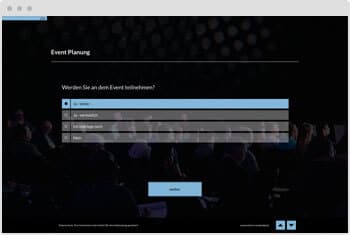
Using a survey for event registration is an effective and versatile solution for simplifying the registration process and gaining valuable insights.
In addition to basic registration, you can ask specific questions to learn more about your guests’ interests, expectations, and needs.
This provides you with important information about which aspects of the event are particularly relevant to attendees.
These insights help you plan the event more effectively and tailor it specifically to guests’ preferences, resulting in higher satisfaction.
Additionally, the survey is user-friendly and flexible: participants can conveniently submit their registration and responses at their own pace and at a time that suits them — a major advantage for both organizers and guests alike.
Contents of the template:
Objectives of the survey:
Helpful features for the survey:

Data protection „made in Germany“ (GDPR)

Anonymity function for honest feedback
Here are some questions you can include in an event registration questionnaire.
These questions help gather relevant information about participants and support better event planning.
Category 1: General Participant Information
Category 2: Participation Preferences
Which program items are you particularly interested in? [Multiple choice]
Which workshops would you like to attend? [Multiple choice]
Would you like to attend a networking dinner? [Yes/No]
Category 3: Travel and Accommodation
How do you plan to travel to the event? [Single choice]
Do you need assistance with booking a hotel? [Yes/No]
Would you like to receive information about local accommodation options? [Yes/No]
Category 4: Additional Information
How did you hear about this event? [Single choice]
What are your expectations for the event? [Text field]
Are there any topics you are particularly interested in or would like to learn more about? [Text field]
Category 5: Data Protection and Consent
Do you agree to your contact details being used for future invitations? [Yes/No]
May photos and videos in which you may appear be used for marketing purposes? [Yes/No]
Category 6: Registration Feedback (Optional)
How easy was the registration process? [Scale from 1 to 5]
Do you have any suggestions for improving the registration process? [Text field]
Here is an example of a confirmation email for event registration:
—
Subject: Your Registration for [Event Title] on [Event Date] – Confirmation
Dear [First Name Last Name],
We are pleased to confirm that your registration for [Event Title] on [Event Date] was successful.
Event Details:
Important Information:
Additional Information:
We look forward to welcoming you to the event and wish you an inspiring and successful experience.
Kind regards,
[Your Name]
[Your Title]
[Company Name]
—
This example includes all essential information participants need to attend the event well prepared.
It is important to keep the confirmation email clear and well structured to avoid confusion.
Here is an example of invitation copy inviting participants to register for an event:
—
Subject: Invitation to [Event Title] on [Event Date] – Register Now!
Dear [First Name Last Name],
We are delighted to invite you to [Event Title] on [Event Date] at [Event Venue].
This event offers you a unique opportunity to [brief description of the event, e.g., “connect with industry experts,” “discover emerging trends,” or “take part in engaging workshops”].
Why should you attend?
Event Details:
Registration:
Register now to secure your place! Simply click the following link to register: [Registration Link]
Places are limited, so we recommend registering early.
Further Information:
If you have any questions or require further information, we will be happy to help. Simply contact us at [Contact Email] or [Phone Number].
We look forward to welcoming you to [Event Title]!
Kind regards,
[Your Name]
[Your Title]
[Company Name]
—
This invitation copy is friendly and informative, providing potential participants with all the necessary information to decide to attend and register easily.
easyfeedback is a platform primarily designed for creating and managing surveys and feedback questionnaires.
However, easyfeedback can also be used effectively for event registration, particularly by adapting survey forms for participant registration and data collection.
Using easyfeedback for Event Registration
1. Creating a Registration Form
2. Automated Confirmation Emails
After registration, an automated confirmation email can be sent to participants as proof of registration.
These emails can also be customized to provide additional information, such as the agenda, venue, or other details.
3. Integration with Other Tools
easyfeedback offers various integrations for transferring data to other systems, such as CRM systems or event management software.
Participant data can also be exported in various formats, including Excel and CSV.
4. Analysis and Reporting
You can monitor and analyze incoming registrations in real time to evaluate the number of participants, preferred sessions, or other relevant data.
Reports can be created to monitor and optimize the registration process.
5. Data Protection
easyfeedback is GDPR-compliant, meaning participant data is stored and processed securely.
Benefits of Using easyfeedback for Event Registration
So, if you are looking for a simple, flexible, and privacy-compliant solution for event registration, easyfeedback can be a good choice.