

“Identifying user needs is at the heart of our business. easyfeedback has been helping us with this task for several years now. We particularly appreciate its intuitive usability and professional support.”

“We use easyfeedback for internal and external surveys—it’s fast, convenient, and easy! The uncomplicated and friendly support puts a smile on our faces, and we are delighted with the continuous development of the platform.”
Save valuable paper and avoid annoying transcription errors.
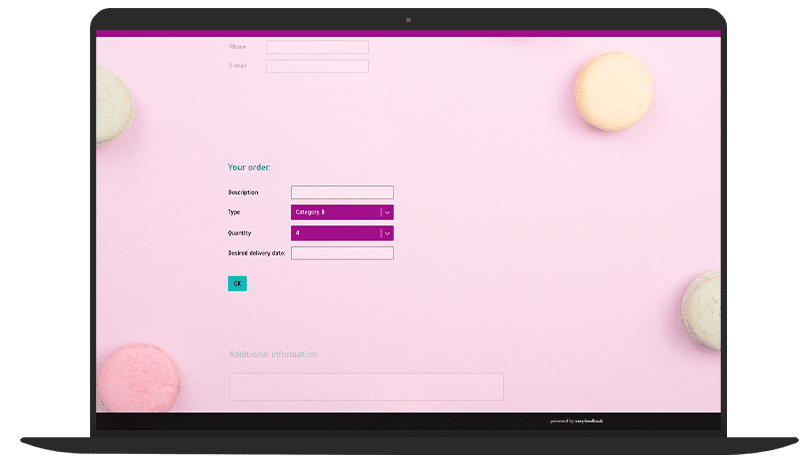
With easyfeedback, you can easily create online order forms that make the ordering process more efficient and error-free.
No more tedious retyping — orders are recorded directly and accurately.
Not only do you save time when adding new customers, but you also receive orders faster and more reliably.
The form can be easily embedded on your website or sent via email.
Make ordering more convenient and improve your workflows with a modern online form.
Contents of the template:
Objectives of the survey:
Helpful features for the survey:

Data protection „made in Germany“ (GDPR)

Anonymity function for honest feedback
An online order form is an electronic document or web application through which a buyer submits information such as their name, address, telephone number, product name, quantity, and preferred payment method to the seller.
In addition to this basic information, an online order form may also request more specific details, depending on the requirements of the sales process.
This may include selecting product variants, colors, or sizes; delivery options such as express or standard shipping; and any special requirements or comments from the customer.
In addition, some online order forms offer extra features to optimize the ordering process and improve the shopping experience.
These may include the option to create a customer account in order to view order history or simplify the ordering process for future purchases, as well as the integration of shipping cost calculators to give customers transparency regarding total costs.
Security features such as CAPTCHAs or SSL encryption can also be used to ensure the security of submitted data and increase protection against fraudulent activity.
Overall, a well-designed online order form enables smooth and efficient order processing by providing the buyer with a user-friendly interface for entering their details and giving the seller the information required to process and ship the order.
An online order form is flexible to use and enables you to process orders quickly and easily.
All data related to the ordering process is consolidated in one document and made available for further processing.
This helps you maintain an overview of your orders and avoid errors.
Furthermore, using an online order form can simplify the ordering process for both customers and your business.
For example, it allows customers to place orders around the clock, 24/7. This means they are not restricted by telephone hours or opening times and can conveniently place orders from anywhere.
You can then process and ship the orders during your regular business hours.
Compared to using a paper form, it is also a cost- and time-saving option because it avoids printing and administrative costs.
It also saves you the laborious task of manually digitizing orders submitted on paper.
By connecting the form to your CRM system, for example, it is also possible to automatically capture and easily forward the data entered in the online form.
Further advantages of an online order form include:
Yes, here are some important tips for creating and designing a user-friendly and effective online order form:
1. Tip: Put user-friendliness first
2. Tip: Less is more
3. Tip: Logical order and grouping
4. Tip: Visual design and layout
5. Tip: Validation and error messages
6. Tip: Create security and trust
7. Tip: Ensure mobile-friendliness
8. Tip: Confirmation and feedback after completion
9. Tip: Test and optimize
It’s very simple.
You only need a few steps:
That’s it.
Can I embed an order form created with easyfeedback on my website?
Yes, you can.
You can integrate an order form created as an online questionnaire into your website in various ways.
For example, place the survey link on your website or embed the questionnaire via iframe on the page where your products are ordered.
You can also integrate the online questionnaire on your homepage as a button, tab, focus layer, or pop-up.
Can I connect the online order form with other tools?
Yes. Through the Zapier web application, you can connect online order forms created with easyfeedback to more than 5,000 popular apps, including CRM, marketing, office, and other tools.
In addition to easyfeedback, you will need a Zapier account.
You can then create automated workflows in Zapier to transfer form data and trigger possible follow-up actions.
Find more information about integrating easyfeedback with other tools here.
What can I customize in the order form template?
You can customize every aspect of the order form template to fit your needs.
Replace the questions or add new ones; adapt the layout of the order form template to match the colors and fonts of your corporate identity; or send buyers an automatic email response confirming their order after they complete the form.
Our sample templates serve as inspiration and demonstrate the ways you can create an online order form with easyfeedback.
Give it a try!
There are no limits to your creativity.
Are online order forms created with easyfeedback GDPR-compliant?
Yes, order forms created with easyfeedback are data-protection compliant.
Not only can you design GDPR-compliant order forms—for example, with an individual privacy notice and a consent checkbox—but collecting the data required for your online order form with easyfeedback is also always compliant with data protection requirements.
With technical safeguards such as data encryption and the ISO 27001 certification of our German servers, we also provide maximum security for survey participation.
You can rely on our data protection practices.
Would you like to learn more?
Click here.